Google Home Release Notes: May 11th Read more
Turn on suggestions
Auto-suggest helps you quickly narrow down your search results by suggesting possible matches as you type.
Showing results for
The Nest Community is now Google Home & Nest!
We have moved to a new home.
Please visit the Google Home & Nest Community to connect with other users, ask questions, and explore the new space.
Please visit the Google Home & Nest Community to connect with other users, ask questions, and explore the new space.
Apps / Account
- Google Nest Community
- Apps / Account
Options
- Mark all as New
- Mark all as Read
- Float this item to the top
- Subscribe
- Bookmark
- Subscribe to RSS Feed
- Threaded format
- Linear Format
- Sort by Topic Start Date
Blog Posts
Doing More with Home Automations Read more
Google Home Update (Spring 2026): Home sweet home is now more helpful Read more
Help Center
For immediate help, visit the official Google Nest Help Center where you can find tips, tutorials, and other answers to frequently asked questions.
Forum Posts
A new chapter for Google Home & Nest
Hey folks,Anish here, I lead the product teams for Google Home & Nest.I want to start by saying thank you for being on this journey with us, especially as we kick off a new era for the smart home! We have our biggest update in years and I wanted to s...
How to: Share devices with others in the Nest app or Google Home app
Once you have successfully setup your device in the Nest app or Google Home app (depending on the devices you have), you may want to add it to the Nest app or Google Home app on someone else's phone or tablet. A common misconception is that you do th...
Resolved! How to pair bluetooth speaker with google home app?
For the life of me I can't figure out how to simply connect my Home app to a bluetooth speaker. I have the latest app, but when I click "add device and then speaker" it searches and fails. The speaker is in pairing mode and works for other devices. P...
Google Home / assistant serious problems - please help!
Hi there,Please help me with a problem which I cant seem to be able to solve, and honestly I am going nuts...I have a Pixel 6 phone and 3 accounts on the phone. (1 main, 1 work and 1 personal)My Google Home used to work fine until a few days ago when...
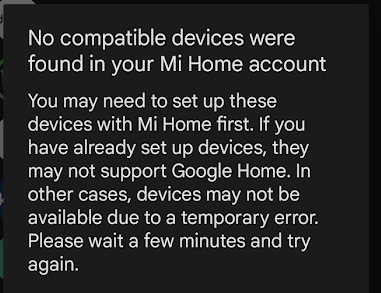
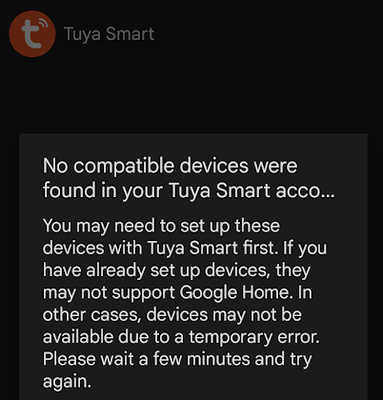
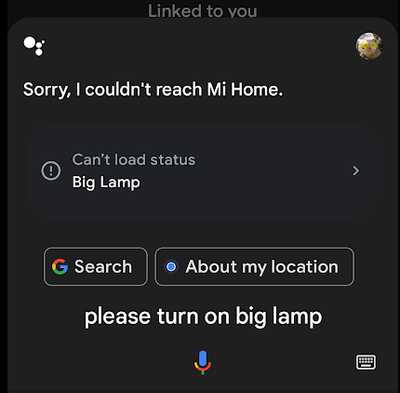
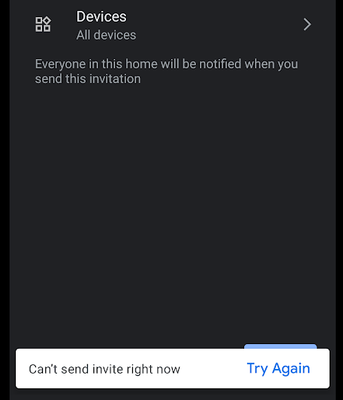
Roku device linked but shows "Something went wrong"
New Roku TV just linked through Home App, the other 2 Smaller Roku TVs work, but the New 4k HD QLED Roku Links but says it's off in the Home App and only says "Something Went Wrong" when pressing a button. The New TV works with a Google Play App inst...
google home routine shortcut not open
google home routine shortcut not open ..... when i click on shortcut .... its open google search not the routine ..... What can i do to solve it ?
Great app - could be so much better
Some thoughts on how the Nest app could be better:1) Homes, rooms, and device locations could be clearer - perhaps a hierarchy instead of independent definitions.2) Why can't I add a nest mini to the nest app? It's annoying to have to use Google Home...
Tuya based Routines stopped working on Google Home app
Hello,So, for a few months I have intergraded Tuya app with Google Home app and I'm using it for giving voice commands on Tuya devices and routines at home.To be more specific I've used Tuya based tap to run scenarios on lighting by creating Personal...
Cannot link Google Home app with Dyson app
I cannot link Google Home app with Dyson app.when I tried to Set up a device (dyson purifier) by using Works with google and choose Dyson and authorize connection, it keeps showing ‘Something went wrong, try again’please help,Thank you.
How to delete a personal routine
Is it possible to delete a routine under personal routines? Everything says to just go to the routine you want to delete and hit delete but there's no delete button available anywhere for said routine. Also is it possible to change the starter action...
Nest app password reset failure
Locked out of the Nest app. No warning other than "e-mail or password may be entered incorrectly." E-mail is correctly entered. Password reset e-mail fails after multiple attempts. Aaaargh!
Nest app won't stay connected to thermostat
Hi,I recently had to purchase a new router due to an issue with Xfinity and our internet connection. In setting up the new router, I used the same network/SSID name and password as the old router. Since connecting the new router, I've had issues with...
Sign In to vote
Labels
-
Account Linking
17 -
Android
2,774 -
Apps Account
1 -
Automation Help
3 -
Bug
11 -
Cameras and Doorbells
1 -
Casting Issues
282 -
Chromecast (1st Gen)
1 -
Chromecast (3rd Gen)
2 -
Chromecast with Google TV (4K)
5 -
Cloud Integration
6 -
Connectivity
6 -
Connectivity Issues
5 -
Cooling Issues
2 -
Developer Tools
2 -
Discussion
2 -
Feature Request
5 -
Features
1 -
Feedback
803 -
Getting Started
1,118 -
Google Assistant on Google Nest Device
3 -
Google Home (1st Gen)
4 -
Google Home app (Android)
1 -
Google Home app (iOS)
1 -
Google Home Mini (1st Gen)
2 -
Google Nest Device
2 -
Google Wifi (Gen 1)
3 -
Home App
3,343 -
Home Away Assist
1 -
Internationalization
1 -
iOS
2,132 -
Issues casting from Chrome
4 -
Issues casting supported app
1 -
Local Integration
4 -
Login and Connection issues
2,287 -
Matter Integration
1 -
Nest App
1,580 -
Nest app (iOS)
1 -
Nest Audio
1 -
Nest Aware
2 -
Nest Cam (battery)
1 -
Nest Cam Indoor
4 -
Nest Cam Outdoor
1 -
Nest Cam with Floodlight
1 -
Nest Doorbell (battery)
1 -
Nest Doorbell (wired Gen 2)
1 -
Nest Hello
3 -
Nest Hub Max
1 -
Nest Learning Thermostat
1 -
Nest Learning Thermostat (2nd gen)
1 -
Nest Mini
2 -
Nest Protect (Gen 1)
3 -
Nest Protect (Gen 2)
4 -
Nest Secure
2 -
Nest Thermostat
4 -
Nest Thermostat E
1 -
Nest Wifi
9 -
Other
2 -
Playing media to my speaker
2 -
Question
33 -
Security
1 -
Smart Home
49 -
Streaming Issues
455 -
Thermostats
2 -
User Experience
18 -
Wear OS
15 -
Web Browser
6 -
Wifi
1 -
Wifi and Connectivity Issues
2
New solutions





