Introducing new 2K Nest Cams and Doorbell with Gemini for Home Read more
Turn on suggestions
Auto-suggest helps you quickly narrow down your search results by suggesting possible matches as you type.
Showing results for
Cameras and Doorbells
- Google Nest Community
- Cameras and Doorbells
Options
- Mark all as New
- Mark all as Read
- Float this item to the top
- Subscribe
- Bookmark
- Subscribe to RSS Feed
- Threaded format
- Linear Format
- Sort by Topic Start Date
Forum Posts
How to: Change camera or doorbell Wi-Fi network
If you change your Wi-Fi password, network name or security settings, or install a new router from a new Internet Service Provider, you'll need to update the Wi-Fi settings for your camera or doorbell.RecommendedIf you're comfortable changing your ro...
Troubleshoot setup: Google Nest camera or doorbell
Here are some steps I recommend to resolve issues during the setup of Google Nest cameras or doorbells.Before trying these stepsMake sure you're using the correct app for setup. Need help checking which model you have? Use the Google Home app to set ...
Is my drop cam connect to previous owner?
I got a used drop cam camera as a gift from a friend and I just wanted to be sure that the camera it's not connected to his account anymore. I tried factory resetting the camera and it does not work, I was able to add it to my account but I just want...
setting up doorbell
Problem setting up my google nest doorbell. It´s a new device and this message appear, Help please I´ve tried everything and is not working.
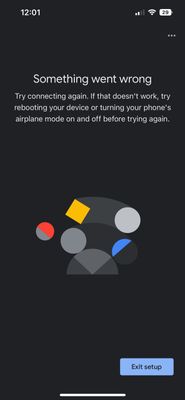
Cannot Connect Nest cameras at new house
I have ten outdoor Nest cameras and three indoor cameras. Last week, I moved to a new house, which came with a new ISP in the process. At the previous house, they all worked without any problem. Now when I try to connect them at the new house, I get ...
Nest cameras now useless
We have two cameras that used to work perfectly prior to google taking over, now whenever I log into our account all we ever see is the blue spinning circle.Our camera feeds never load, doesn't matter if i use the iOS app or try to access through the...
Resolved! Nest Doorbell (Battery) - Camera off, can't be turned on
I recently bought a Nest doorbell (Battery). After setup issues (download update was stuck) Google replaced it with a new device. The replacement doorbell was set up in no time. Yeey !After charging the doorbell to 100% I disconnect it from the USB-C...
Hello Doorbell peeling
Hi,My doorbell camera is peeling/cracking. At first I thought it was a protective film but it seems to be the actual faceplate. Can anyone please provide some advice/support?Thanks
Nest doorbell event triggered by shadow of vehicles
Hi Nest Team,I wanted to let you know about an issue I have with my Nest doorbell.I have a zone setup so I only get notifications about people and vehicles once they're on my driveway/lawn. I've noticed however that when large trucks drive by, the sh...
Resolved! Needed to change routers and SSID's and now my Nest doorbell and camera won't connect?
I had both my Nest Doorbell (battery) and Nest Cam with floodlight installed and set up on 2.4GHz. wifi. Now I need to change to a different router that also has a different SSID. So I've removed both as installed devices using the Google Home app, w...
1 second videos, all night long
I have an indoor cam in my living room and every morning there about 3 Dozen notifications of motion in that room. They are all 1 (one) second long. There is never anything moving in the room.I have tried everything I can think of to the room to fix ...
Recording/motion detection gaps
There need to be controls for pre- and post- recording. I understand the doorbell will only record when motion is detected for battery saving, but it's faulty and these controls could compensate for that. For instance, my nosey neighbor approaches an...
Sign In to vote
Labels
-
Account Linking
5 -
Android
4,980 -
Automation Help
7 -
Bug
4 -
Cameras and Doorbells
19 -
Casting Issues
563 -
Chromecast (3rd Gen)
1 -
Chromecast Audio
1 -
Cloud Integration
3 -
Connectivity
11 -
Connectivity Issues
32 -
Cosmetic Issues
1,288 -
Developer Tools
2 -
Discussion
13 -
Display Issues
1 -
Feature Request
8 -
Features
2 -
Feedback
3,815 -
Getting Started
6,742 -
Google Home (1st Gen)
1 -
Google Home app (Android)
1,090 -
Google Home app (iOS)
1,330 -
Google Nest Device
5 -
Google Nest Wifi Pro
1 -
Google Wifi (Gen 1)
5 -
Home APIs
4 -
Home App
5 -
Home Away Assist
494 -
Internationalization
1 -
iOS
6,978 -
Issues casting from Chrome
1 -
Local Integration
7 -
Login and Connection issues
5 -
Matter Integration
2 -
Nest App
6 -
Nest app (Android)
480 -
Nest app (iOS)
880 -
Nest Audio
2 -
Nest Aware
9 -
Nest Cam (battery)
1,740 -
Nest Cam Indoor
2,359 -
Nest Cam Indoor (wired Gen 3)
4 -
Nest Cam IQ
418 -
Nest Cam Outdoor
3,825 -
Nest Cam Outdoor (wired Gen 2)
6 -
Nest Cam with Floodlight
1,036 -
Nest Doorbell (battery)
3,701 -
Nest Doorbell (wired Gen 2)
1,987 -
Nest Doorbell (wired Gen 3)
14 -
Nest Hello
2,141 -
Nest Hub
1 -
Nest Hub (2nd Gen)
2 -
Nest Learning Thermostat
1 -
Nest Learning Thermostat (1st gen)
1 -
Nest Protect (Gen 1)
6 -
Nest Protect (Gen 2)
14 -
Nest Secure
9 -
Nest Thermostat
3 -
Nest Thermostat (2020)
1 -
Nest Wifi
33 -
Offline Issues
1 -
Other
5 -
Question
35 -
Smart Home
54 -
Streaming Issues
4,328 -
Subscription Issues
1 -
User Experience
30 -
Wear OS
17 -
Web Browser
1,574 -
Wifi and Connectivity Issues
3
New solutions





